
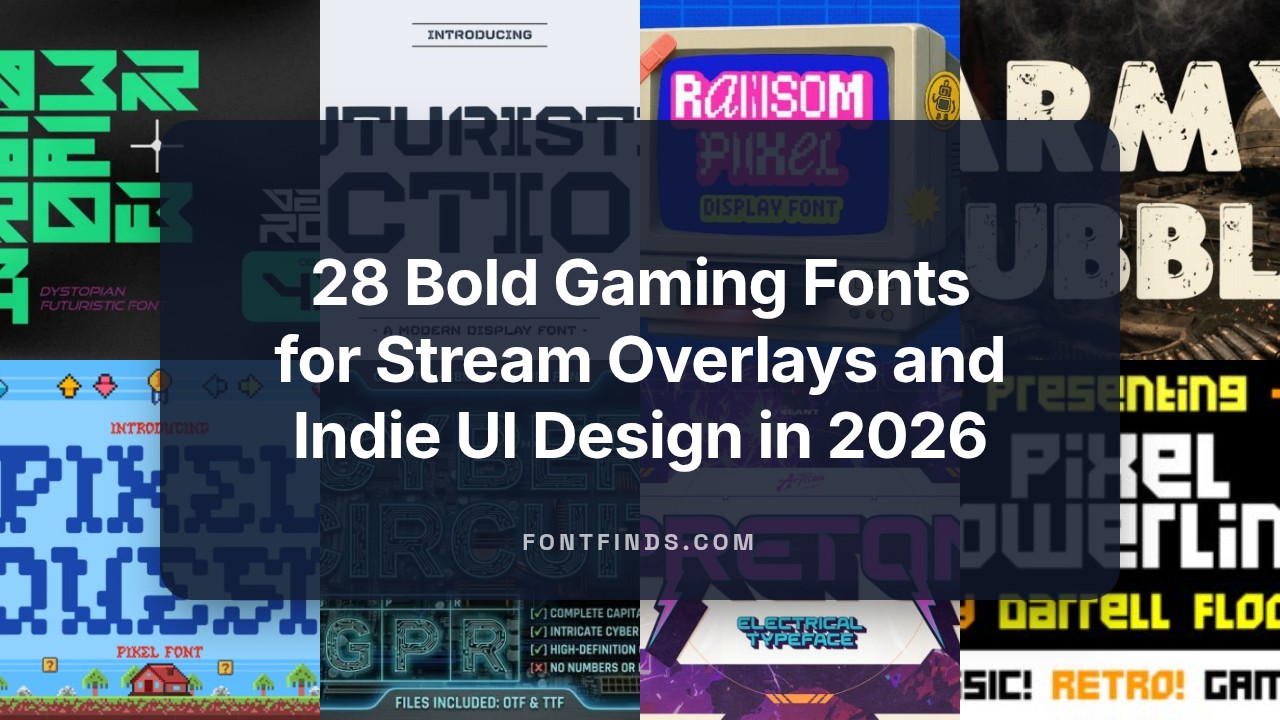
28 Bold Gaming Fonts for Stream Overlays and Indie UI Design in 2026
Gaming Fonts set the tone for a channel, mod, or indie title the moment viewers land on a screen. I gathered 28 styles that range from compact pixel faces to bold display types suited for splash art and HUD text.
Each entry includes usage notes, recommended pairings, and licensing reminders so you can judge legibility and mood quickly. Scroll to the section that matches your project type-stream overlay, in-game UI, thumbnail, or promotional art.
1. Desango Font
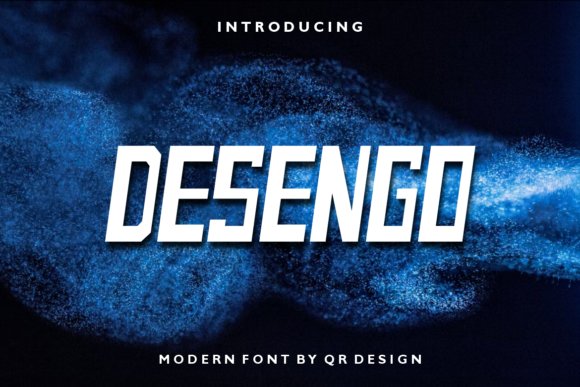
Desango Font is a geometric sans with tight, circular counters and steady stroke widths that hold up at small sizes and on streamed overlays. The letterforms favor compact proportions and open apertures, which improves legibility on HUDs and menus; that’s why it feels right among Gaming Fonts for UI work. Its neutral voice still carries character through subtle terminal cuts and slightly squared curves.
For practical use, pick medium or bold weights for logos and light weights for in-game labels, then nudge tracking tighter for headline impact. Kerning and hinting are sensible out of the box, and the font pairs particularly well with a monospaced UI face or a soft humanist for longer copy. Use its clean geometry when you need clarity across desktop, mobile, and streamed overlays.
My Recommendation: I reach for Desango when a project needs a crisp, modern sans that remains readable at very small sizes. It’s especially useful for esports overlays, menus, and streaming graphics where glyph clarity matters. The restrained personality makes branding feel professional without being loud.
2. Verse Robo Font
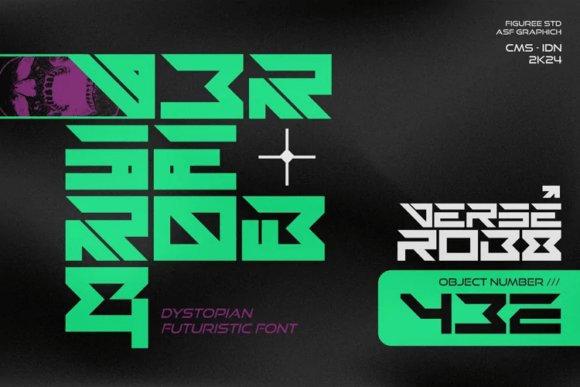
Verse Robo channels cyberpunk aesthetics via slashed terminals, tight counters, and modular cuts that suggest circuitry rather than handwriting. The display-focused shapes read well in large sizes and titles, and built-in alternates add a glitchy, industrial edge that works for dystopian posters and sci‑fi packaging. OpenType features include contextual alternates and discretionary ligatures that let you vary the mood without changing typefaces.
Use Verse Robo for game covers, loading screens, and stream banners where type should feel engineered and slightly abrasive. It reacts well to neon gradients, chromatic aberration, and subtle grain, so layering effects deepens the atmosphere without losing legibility. Pair it with a neutral geometric for body text to keep layouts legible while retaining the gritty headline attitude.
My Recommendation: I pick Verse Robo when a design needs a futuristic, industrial voice that reads as both mechanical and stylish. Its alternates make it flexible for title work and promotional art, and it handles heavy effects without blurring. Ideal for sci‑fi game branding, cinematic posters, and tech‑themed thumbnails.
3. Retro Gamer Font
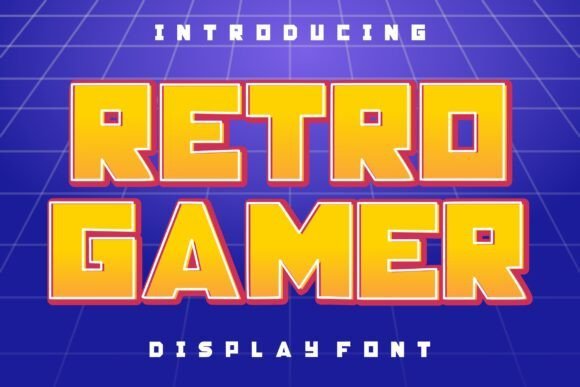
Retro Gamer is a chunky, arcade-inspired display face built around bold strokes, wide counters, and an all-caps palette that immediately recalls cabinet marquees and 80s console logos. The optional neon outline offers instant vintage signage flair while the solid core letters survive intense effects like glow, halftone, and duotone. High x-height and clear counters keep the type legible even when stacked with textures and animation overlays.
Reserve Retro Gamer for headlines, thumbnails, posters, and merchandise where a throwback vibe needs to read at a glance. Try pairing it with a clean modern sans for captions to stop the layout from feeling crowded, and widen tracking slightly when using outline or glow treatments. It’s best for short phrases, logos, and graphics that demand nostalgic punch rather than long body copy.
My Recommendation: I choose Retro Gamer when a project needs immediate arcade energy and playful nostalgia. Its neon outline and stout letterforms make it perfect for channel branding, event posters, and merchandise artwork. Use it for bold headlines and logos-avoid long passages of text to keep the retro effect crisp.
4. Cyber Circuit Font
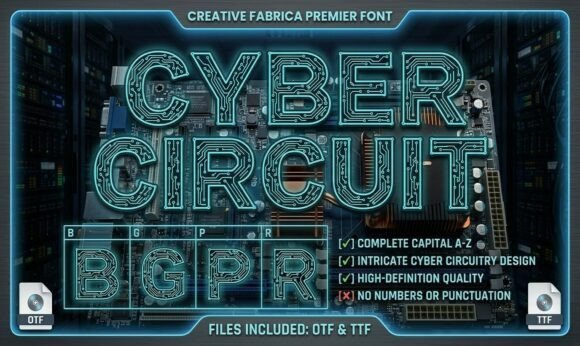
Cyber Circuit Monogram is a bold display font that embeds an intricate circuit-board motif into heavy, outlined glyphs to produce a machinic, tactile texture. Among Gaming Fonts , it delivers a high-voltage tech aesthetic that reads best at headline scale, where the internal detail becomes an asset rather than noise. The patterning requires strong contrast between foreground and background, but when executed well it gives logos, overlays, and badges a handcrafted electronic sheen.
Ideal for channel headers, sci-fi covers, tech-startup monograms and merch, the face holds up on vinyl, sublimation prints, and screen-printed tees. Pair it with a neutral geometric sans for supporting copy and leave extra letterspacing when words get long so the circuitry inside each glyph doesn’t collapse. Pay attention to kerning with initials when creating monograms; alternates and layered fills can amplify the three-dimensional feel.
╰┈➤ Download Cyber Circuit Font
My Recommendation: I choose Cyber Circuit when a project must read as engineered and decorative at once-the inner circuitry gives instant tactile interest on banners and apparel. For streamer logos and cyberpunk covers it punches through clutter while signaling a tech-savvy identity. Use it sparingly for headlines and marks rather than body copy so the motif remains readable and striking.
5. Preton Font
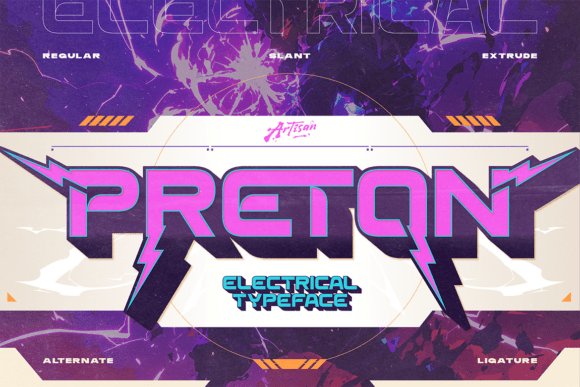
Preton is an electrical display font characterized by sharp, lightning-inspired cuts and a compact, futuristic skeleton that commands attention. Its aggressive terminals and high-contrast shapes make it a natural fit for esports team names, posters, and motion title plates where immediacy matters. Small-size readability can suffer on busy textures, so reserve it for bold headlines, badges, and in-game HUD elements.
To emphasize its energetic personality, apply neon gradients, animated glow effects, or metallic treatments that amplify the implied motion. Pair Preton with a condensed neutral sans for subheads to keep compositions balanced, and test alternate characters to tighten wordmarks. Use outlines or drop shadows sparingly to maintain clarity against photographic backgrounds.
My Recommendation: I reach for Preton when a design needs raw, kinetic punch-its lightning cuts translate well to posters, tournament branding, and stream overlays. It excels at short, impactful copy where personality must carry the message. For longer copy, choose a calmer sans and keep Preton for headlines and logos to preserve legibility.
6. Army Bubble Font
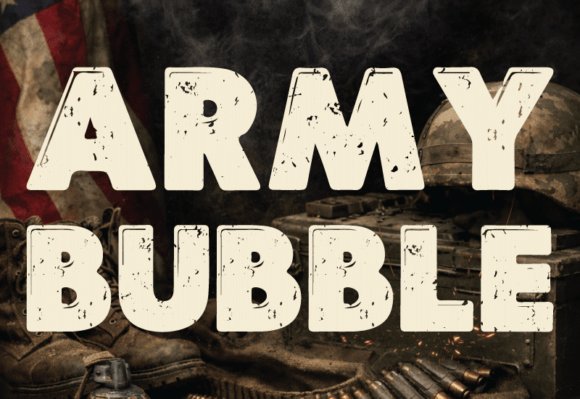
Army Bubble blends tactical stencil cues with rounded, bubble-like letterforms to create a playful yet rugged display face. Distressed ink edges and rough textures evoke field wear without becoming hostile, making the font suitable for streetwear, themed thumbnails, and youth-focused graphics. Because of its decorative build, it works best as a short headline or single-word brand mark rather than extended text.
Layer Army Bubble over high-contrast backgrounds like simplified camo or concrete textures and use solid outlines to preserve letter shapes in busy layouts. Vector-cut versions will keep the worn details crisp in print and vinyl, while careful kerning smooths the visual gaps introduced by stencil breaks. The result is a bold, approachable military-inspired look with character.
My Recommendation: I pick Army Bubble when a project needs to feel tough but friendly-its combination of stencil grit and rounded forms gives designs personality without aggression. It’s great for gaming thumbnails, kids’ military themes, and streetwear where a bold headline is required. Keep it to display use, polish the outlines for print, and pair it with clean sans faces for balance.
7. Pixel Machine Font
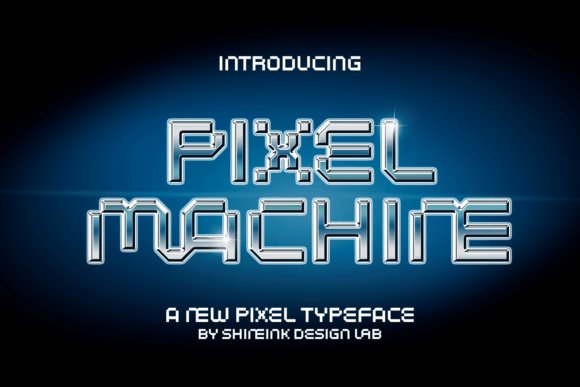
Pixel Machine channels the chunky geometry of classic 8-bit title screens while keeping each glyph clean and remarkably legible. Letters are constructed from square blocks so they sit crisply on low-resolution displays and scale predictably for posters, stream banners, or avatar badges. The type’s playful proportions give headings and overlays a retro personality without feeling gimmicky.
The font is PUA-encoded, which makes decorative glyphs and alternates instantly accessible without fiddling with advanced features. Pixel Machine excels in hero text, merchandise mockups, and pixel-art packaging where a genuine throwback vibe matters. Among Gaming Fonts Pixel Machine stands out for clarity at tiny sizes and the way its grid snaps to sprite artwork so the aesthetic reads authentic rather than forced.
╰┈➤ Download Pixel Machine Font
My Recommendation: I reach for Pixel Machine when a design needs sincere retro flavor-its grid-based forms hold up on stream overlays and small UI elements. The PUA extras are a real time-saver for playful headlines and badges. Use this for indie pixel games, posters, Twitch overlays and nostalgic merchandise.
8. Futuristic Action Font
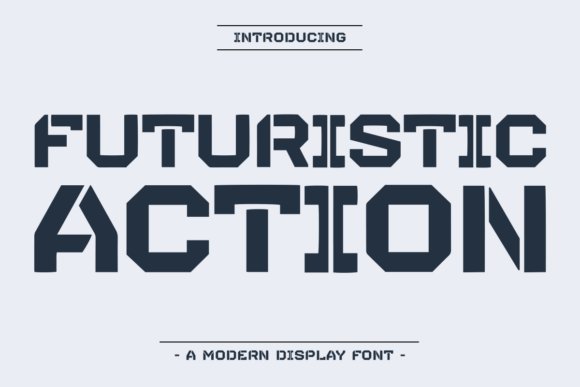
Futuristic Action is a display face built around angular terminals and compressed counters that make static text feel propelled forward. High-contrast strokes and tight spacing produce a forceful presence that still reads well at banner and poster sizes. A selection of slanted cuts and alternates lets designers dial the intensity for each composition.
It thrives in esports branding, title cards, cinematic posters and motion graphics where speed and precision are part of the message. Pairing it with a neutral geometric sans softens body copy while keeping a consistent visual identity for logos and thumbnails. Thoughtful kerning and pronounced forms mean quick mockups look polished without time-consuming tweaks.
╰┈➤ Download Futuristic Action Font
My Recommendation: I use Futuristic Action whenever a project needs aggressive, forward-leaning typography-its letterforms convey momentum immediately. It performs strongly in animated stingers and tournament branding because the shapes animate cleanly. Combine with a sober sans for body text and you get a professional, high-energy look.
9. Pixelarc Font
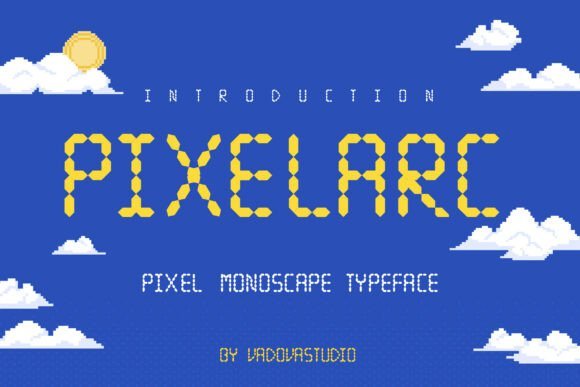
Pixelarc is a monospaced pixel display that arranges characters on a strict grid to recreate the tactile feel of arcade era type. Its dot-based strokes and uniform widths keep UI columns aligned and make scoreboards, menus and numeric readouts look purposeful. Because each glyph snaps to the same cell, readability remains consistent across small sizes.
Designers will appreciate Pixelarc for overlays, collectible apparel, app icons and educational materials geared to younger players. The monospaced approach simplifies layout tasks like chat windows and HUDs, and it pairs naturally with sprite art and bitmap textures. If you want an authentic arcade aesthetic without building bespoke bitmap fonts, this one is practical and full of character.
My Recommendation: I choose Pixelarc when strict pixel alignment is essential-its monospaced grid makes layering sprites and text fast and reliable. It keeps HUDs and leaderboards visually organized and steady at tiny sizes. Best suited for retro UIs, pixel-art posters and kids’ game interfaces.
10. Start Signal Font
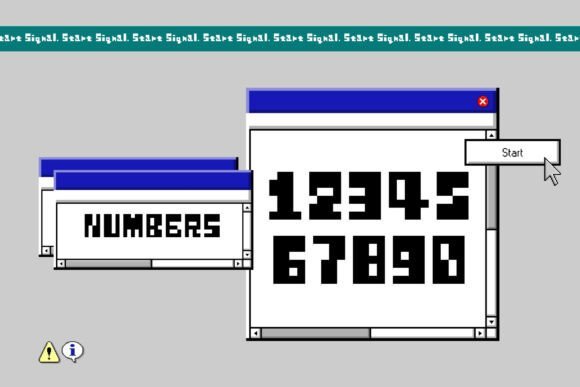
Start Signal is a lively 8-bit pixel typeface that channels arcade cabinets and handheld console menus with crisp square pixels and compact glyphs. Among Gaming Fonts it stands out for expressive character quirks-rounded pixel corners, compact x-height, and open counters-that keep readability high at small sizes. The bold, geometric strokes make it ideal for short headlines, HUD text, badges, and stream overlays where retro flavor must remain legible.
The family ships with full ASCII, numerals, punctuation, and a handful of stylistic alternates designed for chiptune-style logos; kerning is tuned so letters sit cleanly on pixel grids. Backgrounds with strong contrast, drop shadows, or subtle scanline overlays amplify its arcade vibe while preserving clarity on thumbnails and merch. Use it when you want unmistakable nostalgia without sacrificing practical legibility.
╰┈➤ Download Start Signal Font
My Recommendation: I reach for Start Signal when I want instant retro energy-its pixel-perfect letterforms read well on tiny thumbnails and printed badges alike. The built-in alternates and snug spacing speed up layout for pixel-art games and nostalgic stream overlays. If your creative brief calls for arcade attitude with reliable readability, this font delivers that mix every time.
11. Boltra Font
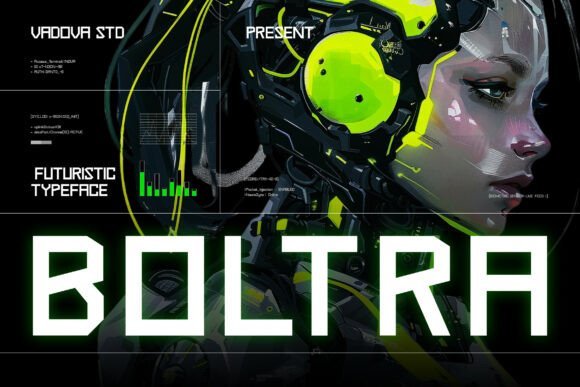
Boltra Font is a bold sans serif display with a stark, technical silhouette shaped by square terminals and acute junctions. It reads like instrument-panel lettering: efficient, compact, and severe, giving text a machinic presence suited to sci‑fi and cyberpunk visuals. A high x-height and steady stroke contrast keep short lines and badges weighty without becoming muddy on screens.
Glyph coverage includes upper and lower case, numerals, punctuation, and extended Latin accents; kerning remains stable across tight UI layouts and HUD elements. Boltra works well for in-game overlays, loading screens, posters, and brand marks that need a mechanical edge-pair it with a thin geometric companion or mono caption to create crisp hierarchy. It also holds up on low-resolution displays and high-contrast web banners.
My Recommendation: I choose Boltra when a project needs a machine-like personality-its squared terminals cut through noisy interfaces and read crisply at small sizes. It’s a solid pick for HUDs, sci-fi posters, and hardware or esports branding. The multilingual support makes it practical for global releases.
12. Thumbnail Grunge Font
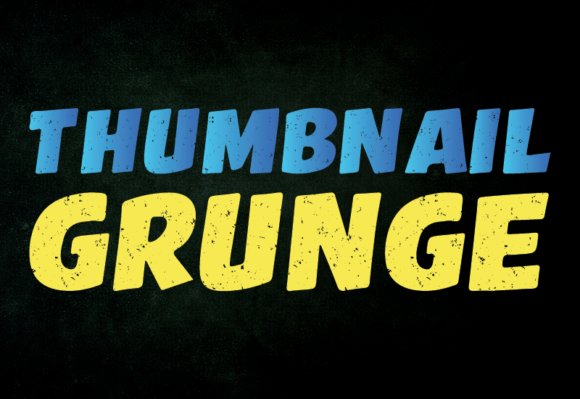
Thumbnail Grunge Font is a heavy display face built to dominate small, cluttered canvases with distressed strokes and irregular terminals. The textured edges simulate abrasion and spray-paint breaks so letters carry raw attitude while core letterforms remain identifiable at thumbnail scale. Its aggressive weight and high visual contrast make short headlines pop on mobile thumbnails and stream banners.
The set emphasizes strong capitals and bold numerals, plus a few alternate glyphs and outline layering tricks for torn or stamped looks. Pair it with flat color blocks and tight negative space to avoid visual noise while keeping the gritty aesthetic intact. It’s optimized for instant impact rather than long paragraphs of copy.
╰┈➤ Download Thumbnail Grunge Font
My Recommendation: I rely on Thumbnail Grunge when thumbnails must stop the scroll-its worn texture gives titles a lived-in, urgent feel that plain type lacks. It pairs nicely with bright backgrounds and thick outlines to protect legibility. Use it for punchy YouTube titles, event promos, or merchandise that benefits from a raw, in-your-face character.
13. Blashore Font
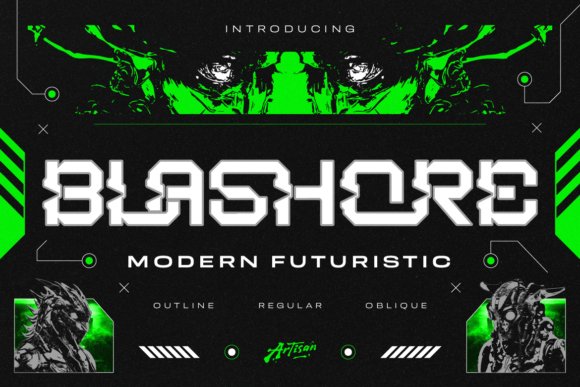
Blashore is a futurist display face that pushes sharp geometry and compact counters to the foreground, giving headlines and HUD elements an aggressive, tech-forward stance. As part of my collection of Gaming Fonts , its angled terminals and heavy stems read clearly at large sizes and inject a strong digital personality into cyberpunk posters, esports badges, and sci-fi logos.
The family ships with Regular, Outline, and Oblique variants, which makes it simple to craft layered treatments and motion effects without adding extra assets. Treat the outline for callouts, the oblique for sense of motion, and pair with a neutral sans for UI body text; moderate tracking and subtle negative letterspacing improve legibility on neon gradients and dark interfaces.
My Recommendation: I reach for Blashore when a project needs immediate intensity and a modern tech voice-it’s great for esports headers, sci-fi covers, and HUD mockups. The outline and oblique styles give practical flexibility for animated titles or layered posters. I’d avoid using it for long passages; it performs best as a display face where personality and contrast matter most.
14. Gothic Byte Font
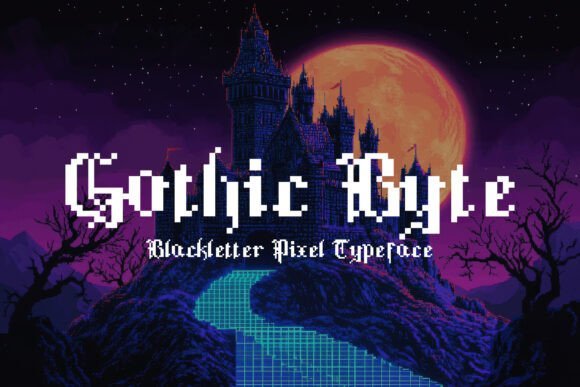
Gothic Byte mashes blackletter ornamentation with chunky 8-bit pixel forms to produce a decorative, nostalgia-tinged display. The result is a typeface that feels simultaneously medieval and digital, perfect for retro-inspired game branding, pixel-art packaging, and stylized title screens where character and mood are the priority.
Built with deliberate angles and squared-off terminals, it holds up at poster scale and in logo lockups but requires generous tracking when used in short headlines to avoid visual crowding. Pair it with a plain sans or monospaced UI text to keep interfaces readable while letting Gothic Byte carry the thematic weight on covers, badges, and promotional art.
My Recommendation: I’d pick Gothic Byte for projects that call for a quirky, antique-meets-retro aesthetic-indie RPG covers, chiptune album artwork, or themed stream overlays. Its personality is unique and decorative, so I use it sparingly as a focal element rather than for body content. When contrasted with a minimal supporting typeface, it delivers a memorable, thematic headline treatment.
15. Fortnight Font – Gaming Fonts
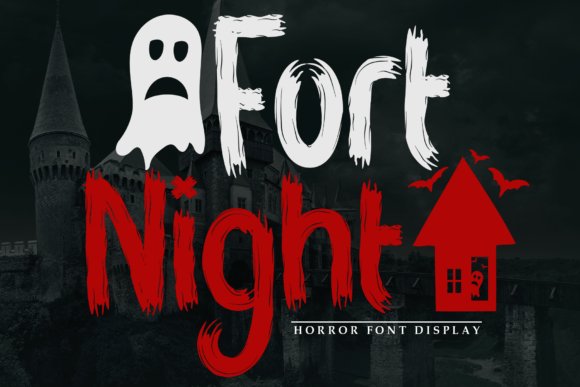
Fortnight is a bold display type intended to read like a neon sign after dark: heavy strokes, open counters, and strong horizontal emphasis give it a confident, nocturnal presence. It commands attention in event posters and game title screens, where the goal is to create a striking first impression that feels both playful and assertive.
Because Fortnight favors substantial weight and generous x-height, it performs well with backlit effects, color glows, and motion blur in animated sequences; tighten tracking for logotypes and loosen for stacked headlines to keep forms legible. Use it alongside a narrow sans for subheads or with subtle texture overlays when building promotional art for nighttime events or competitive fixtures.
╰┈➤ Download Fortnight Font – Gaming Fonts
My Recommendation: I recommend Fortnight when you need a headline face that reads across distance and on video-tournament banners, late-night event posters, and game splash screens are ideal. It delivers instant presence and handles stylized treatments like glows or metallic finishes cleanly. Reserve it for display use to maintain impact and pair with a simple body type for balance.
16. Gaming Sporty Font
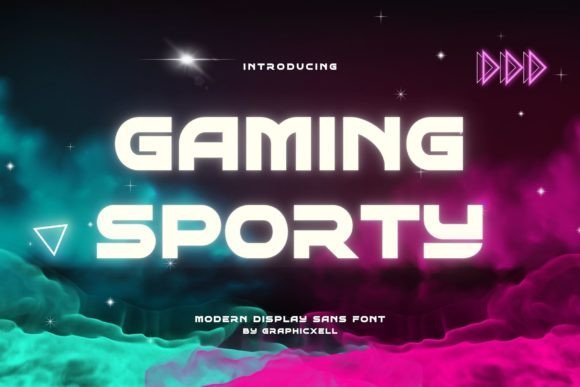
Gaming Sporty punches above its weight with broad, athletic letterforms that read like motion lines on a racetrack. Among Gaming Fonts this one stands out for bold widths and compact counters that hold up in large headlines and team badges. The shapes are tuned to grab attention without becoming cluttered, so logos and posters keep a clear visual hierarchy.
Weight options include a heavy display cut for merch and a lighter inline style for subtitle work, and the kerning is configured for impact at display sizes. Pair it with a simple grotesque for body copy and reserve tight tracking for stacked words to avoid crowding. It performs best on banners, stream overlays, and event art where speed and attitude matter.
╰┈➤ Download Gaming Sporty Font
My Recommendation: I reach for Gaming Sporty when a project needs athletic punch-esports crests, tournament posters, and streamer banners all benefit from its muscular shapes. It gives a clear, aggressive voice without sacrificing legibility at headline scale. If you want a sporty, fast-paced visual that reads well in motion graphics, this font is a reliable choice.
17. Pixel Powerline Font
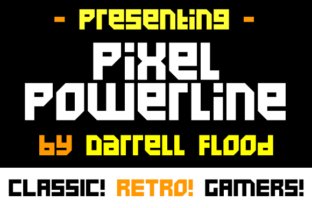
Pixel Powerline recreates classic 8-bit glyphs with crisp, angular edges that sit cleanly on a pixel grid. The economy of its forms keeps characters readable at tiny sizes while preserving a retro sci-fi attitude in display use. It’s a tight, geometric display face that instantly signals arcade and tech aesthetics.
Because the design leans into square counters and hard corners, it’s not suited for long passages but excels in HUDs, scoreboards, and title bars. For best results use integer scaling or nearest-neighbor rendering to retain jagged fidelity, and avoid heavy smoothing filters. Try it on pixel-art menus, overlay alerts, or any UI that benefits from authentic low-res charm.
╰┈➤ Download Pixel Powerline Font
My Recommendation: I choose Pixel Powerline for projects that want genuine 8-bit authenticity-indie game titles, retro menus, and channel overlays all gain personality from its strict pixel logic. It preserves clarity at small sizes and reads instantly as arcade-style typography. Use it when you want a compact, technically precise display that channels classic game visuals.
18. Alenikh Sports Font
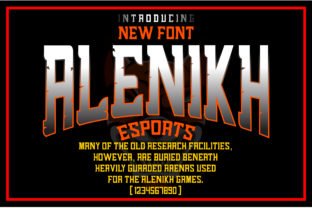
Alenikh Sports applies blackletter energy to competitive design with heavy strokes and pointed terminals that form a bold, heraldic silhouette. Its condensed counters and decorative serifs give a handcrafted, traditional flavor suitable for team marks and event headers. The overall effect is assertive and ceremonial without feeling ornamental for ornament’s sake.
Keep an eye on small-size legibility: tight joins and thin hairlines can close up in low-resolution or textured prints. Use wide tracking and solid background contrast for short headlines, and pair it with a plain sans for supporting text. When used on apparel, patches, or bold thumbnails it creates a memorable, old-style identity with modern application.
╰┈➤ Download Alenikh Sports Font
My Recommendation: I pick Alenikh Sports when a design needs theatrical weight and historical character-team logos, premium merch, and event badges are prime uses. It requires careful spacing and contrast to avoid clutter, but rewards that attention with a distinctive, crest-like presence. Great for projects seeking a dramatic, tradition-forward identity that stands out on fabric and social art.
19. Gimora Font
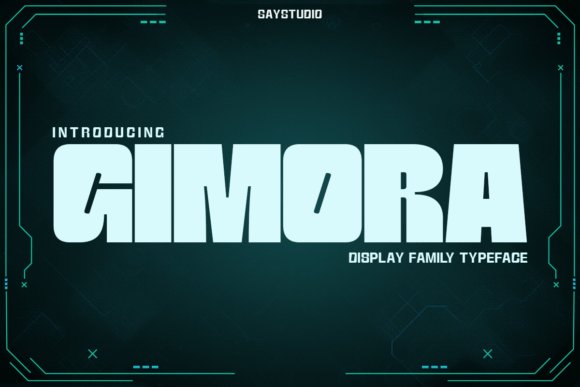
Gimora is a futuristic display family built around bold geometric forms, crisp curves, and tight proportions that demand attention at headline sizes. It reads well in high-contrast applications and projects a sci‑fi, tech‑forward personality that suits esports marks, UI headers, and cinematic posters. Among Gaming Fonts , Gimora’s angled terminals and open counters create motion-friendly lettershapes that remain legible in fast-paced layouts.
The family ships with several weights and display cuts tuned for both screen and print, so you can scale from small overlays to large banners without losing presence. Try pairing it with a neutral sans for body copy or layer two weights for stacked logotypes and animated titles. Thoughtful spacing and robust glyph construction make it reliable when type must carry the voice of a brand or production.
My Recommendation: I use Gimora when a project needs a crisp, futuristic attitude – it gives headlines and logos an immediate tech feel while staying readable. The multiple display cuts let me push bold treatments for streaming overlays or keep things restrained for product UI. Pick Gimora for sci‑fi promos, esports identities, or any work that wants a polished, electronic edge.
20. Bitmap Font
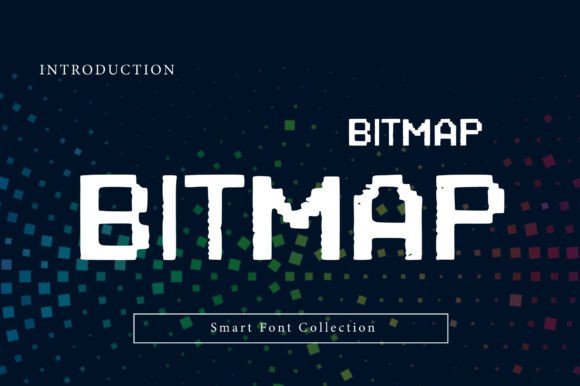
Bitmap channels classic 8‑bit and arcade aesthetics with chunky, pixel-aware letterforms that look authentic at small sizes and on low-resolution surfaces. Its grid‑based construction ensures crisp rendering on screen and preserves that nostalgic blocky charm even when scaled. The type’s strong silhouettes make short headlines, badges, and retro interfaces read instantly as vintage digital artifacts.
Because it leans into the low‑res look, Bitmap excels where texture and character matter more than continuous text: posters, album art, game menus, and novelty packaging. Pair it with a modern, neutral sans to balance the retro feel or stack it for game title treatments and marquee signs. It also handles color dithering and bitmap patterns well, which opens creative options for pixel art compositions.
My Recommendation: I reach for Bitmap when I want to anchor a design in classic gaming culture – it communicates nostalgia without gimmicks. It’s perfect for arcade‑style posters, pixel art projects, and playful branding that needs an unmistakable vintage digital voice. Use it sparingly for short copy and display work to keep the impact clean and legible.
21. Geo Blocker Font
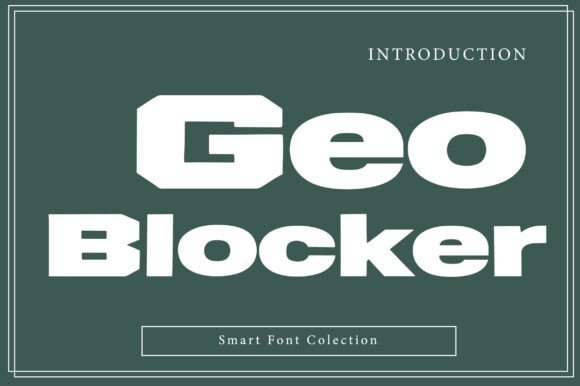
Geo Blocker is a heavy geometric display face with broad, blocky letters and subtle rounded cuts that soften its industrial silhouette. The sturdy, wide proportions deliver a militaristic, authoritative tone that reads well on packaging, event posters, and team crests. Its clean edges and deliberate mass give headlines a grounded presence without fuss.
The font performs best in short bursts of copy – titles, badges, and in‑game banners – where strong letter shapes create instant recognition. Combine it with a condensed type for secondary text or use negative space inside glyphs to craft distinctive marks and stickers. Tight kerning and heavy weight options make it ideal for high-impact branding where legibility from a distance matters.
My Recommendation: I choose Geo Blocker when a design must feel powerful and unmistakable – it’s ideal for team logos, sports titles, and bold poster headlines. Its mechanical geometry handles heavy applications well and holds up at large scale. Use it for work that needs clear visual authority and simple, punchy messaging.
22. Magic Spirit Font
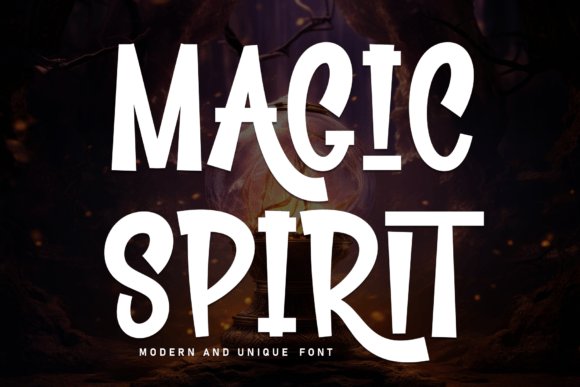
Magic Spirit is an all-caps display face with thick, distorted letterforms and uneven baselines that read like hand-carved runes. Varying heights and heavy contrast between strokes give headlines a theatrical, slightly spooky presence that pulls attention on posters and title screens. Among Gaming Fonts it stands out for a playful yet ominous personality that suits fantasy game branding, seasonal event art, and merchandise that needs a strong mood.
The design is built for display use: its bold weight survives textured overlays and high-contrast color treatments while decorative terminals add character at large sizes. PUA encoding exposes every ornament and alternate without extra tooling, making it simple to swap stylistic sets and ligatures; expect to fine-tune tracking and kerning for the best atmospheric results and avoid using it for body copy.
╰┈➤ Download Magic Spirit Font
My Recommendation: I reach for Magic Spirit when a headline needs personality-its carved forms give any title screen or poster a handcrafted, mysterious feel. The included PUA ornaments speed up layout work and let me create sigils and alternates without extra steps. Use it for fantasy game covers, Halloween campaigns, or merch that benefits from a bold, storybook mood.
23. Kecaran Font
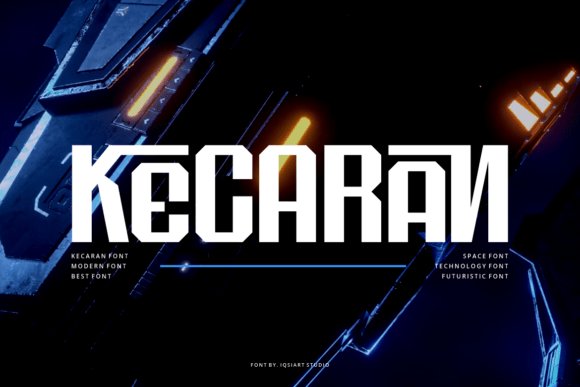
Kecaran Font cuts a precise profile with geometric angles and narrow counters that evoke a future-tech stencil. Its letterforms favor angular terminals and clean joins, so it reads crisply in motion graphics, HUD overlays, and bold poster headlines. The typeface commands attention at display sizes and includes alternate glyphs that let you tailor marks for logo work and cinematic titles.
This face performs well with neon glows, metallic gradients, and subtle bevels; convert to outlines for large-format prints to preserve razor-sharp edges. Pair Kecaran with a softer, low-contrast sans for body text to avoid reader fatigue, and use the PUA alternates to tighten compact branding without redrawing characters.
My Recommendation: I pick Kecaran when a project needs a sharp, sci-fi aesthetic-its geometry reads instantly as tech-forward and authoritative. The alternates and strong headline presence make it ideal for game trailers, HUDs, and esports branding. It’s perfect when you want a logo or title that feels engineered and precise.
24. Ransom Pixel Font
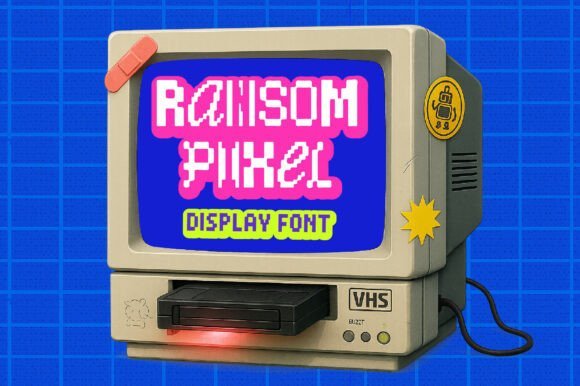
Ransom Pixel Font channels retro arcade vibes through four pixel-style variants that mix blocky glyphs with torn-paper texture cues. Each variant offers a distinct grain-some jittered, some strictly grid-bound-so you can create contrast or consistent nostalgia across menus, posters, and merchandise. Built with pixel-perfect hinting, it stays legible at tiny sizes while retaining that 8-bit character.
Use contrasting variants together to simulate patchwork headlines or to build playful hierarchy in level-select screens and stream overlays. It pairs well with a clean sans for UI controls; pay attention to pixel-snapping and webfont settings to preserve sharp edges on screen and in low-resolution renders.
╰┈➤ Download Ransom Pixel Font
My Recommendation: I use Ransom Pixel when I want to inject digital nostalgia into a project-its multiple variants make it easy to mix distressed and clean pixel looks. It’s great for indie game UI, promotional stickers, event posters, and streamer graphics that nod to retro consoles. The careful hinting means the type reads crisply even at small sizes on low-resolution displays.
25. Pixel Quest Font
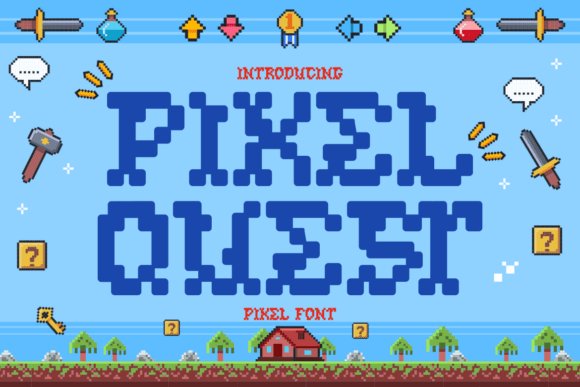
Pixel Quest Font channels classic arcade spirit with chunky, rounded pixel glyphs and compact spacing that read crisply at low resolutions. As one of the most characterful Gaming Fonts , it pairs bold blue contrasts with decorative pixel icons-swords, potions, coins and dialogue bubbles-so the type behaves like a mini visual system rather than just a face. The result is a nostalgic but practical display type that works cleanly on thumbnails, overlays, and printed merch.
The set includes clear numerals and alternate glyphs tailored for faux-HUDs, badges, and pixel-art badges, helping designers build coherent in-game signage or retro UI mockups. Its blocky contours scale reliably for large banners and small stickers, and the bright color choices keep foreground shapes readable against busy backgrounds. Test it at multiple sizes and consider pairing with flat color backgrounds or subtle outlines to preserve pixel crispness.
My Recommendation: I’d reach for Pixel Quest when I need instant retro character-its pixel ornaments and readable low-res forms are perfect for indie game headers, Twitch thumbnails, and nostalgic merch. The built-in decorative icons save time when crafting stream overlays or game mockups. Use it for projects that need a playful, arcade-era vibe without sacrificing clarity.
26. Smile Game Font
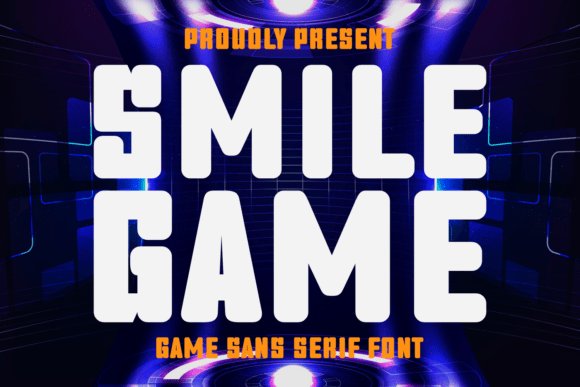
Smile Game Font presents compact, high-impact letterforms with bold stems and angled terminals that give titles a forward, assertive look. Tight tracking and clear counters help the face perform well in stream overlays, banners, and logo wordmarks where immediate recognition matters. Alternate glyphs and stylized numerals let you inject personality into short headlines without overwhelming a layout.
Apply this face to motion graphics, channel headers, and tournament branding where readable punch is required; it responds well to glow, stroke, or layered color fills in video. For longer copy keep a neutral sans at hand so hierarchy stays steady. Limit heavy effects at smaller sizes to maintain shape integrity and avoid visual clutter.
My Recommendation: I use Smile Game when a bold, compact look is needed for competitive or action-oriented projects-its forms read quickly on screen and stand up well in motion. It’s great for esports logos, stream overlays, and event posters because it captures attention without fuss. Pair it with a simple body font to keep layouts balanced.
27. Esport Woglen Font
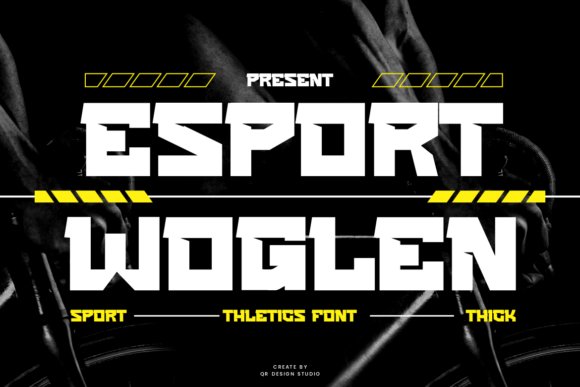
Esport Woglen Font favors sharp geometry and precise cuts that convey speed and structural confidence in display settings. Square proportions and stylized terminals create a compact silhouette that works well on jerseys, billboards, and headline banners where a commanding presence is required. The face reads strongly in uppercase and lends an athletic, engineered tone to any title treatment.
The package includes numerals, alternates, and PUA-encoded extras so designers can access slashed zeros, ligatures, and badge-ready swashes without extra lookup. It excels for sports and streetwear labels as well as esports identities-try layered fills or condensed layouts to emphasize motion. Reserve it for headlines and logos and balance it with a softer sans for body text to keep longer reads comfortable.
╰┈➤ Download Esport Woglen Font
My Recommendation: I recommend Esport Woglen when a project needs aggressive, athletic typography that scales for both print and digital displays. The PUA extras and alternates make badge work and logotype variations fast to produce. It’s especially well suited to team branding, apparel, and event graphics where a precise, high-energy voice helps a design stand out.
28. Ironga Font
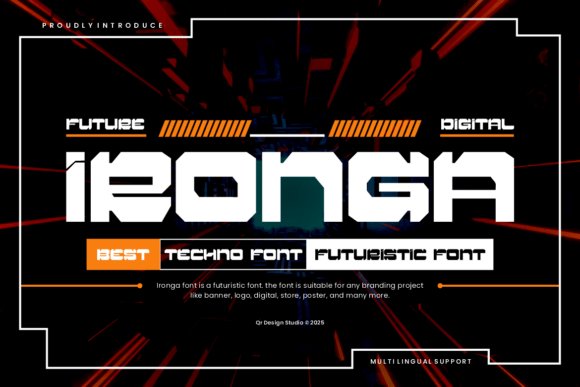
Ironga Font throws a techno voice into headlines with razor-edged strokes, tight counters, and an angular skeleton that reads aggressively at display sizes. Its geometric terminals and slightly condensed letterforms make it a strong choice for Gaming Fonts used in stream headers, sci-fi posters, and title screens where a machine-like personality helps sell the concept. The overall rhythm sits between stencil and futuristic sans, so it keeps legibility while feeling purpose-built for high-energy visual identities.
The family includes uppercase, a full numeral set, and alternate glyphs for letters like A, R and G that let you tighten or open words for different moods; well-tuned kerning keeps stacked titles readable even on animated overlays. Designers will appreciate crisp diagonal cuts that survive heavy texture overlays and the ability to pair Ironga with a soft geometric sans to soften body copy. Use it for HUD labels, esports banners, cyberpunk book covers, or any UI where an industrial, digital tone is needed.
My Recommendation: I grab Ironga when a project needs a wired, mechanical headline that still reads cleanly on video. The alternate glyphs let me customize logos without sketching each letter, and the compact metrics are handy on busy overlays. Best for game trailers, tournament graphics, and sci-fi branding that require a hard-edged, technical look.
These 28 selections cover pixel-accurate monos, techy sans faces, dramatic display types, and softer scripts for ambient titles. Testing on real screenshots and checking at small sizes makes the difference between a readable UI and an illegible mess.
Try a few options in mockups, note the licensing, and swap pairings until weight and spacing feel right. Share your favorites in the comments or link samples so the community can see how different Gaming Fonts perform in practice.